3CX SBC Setup Service: Remote Office & Home-Worker Connectivity That Actually Works
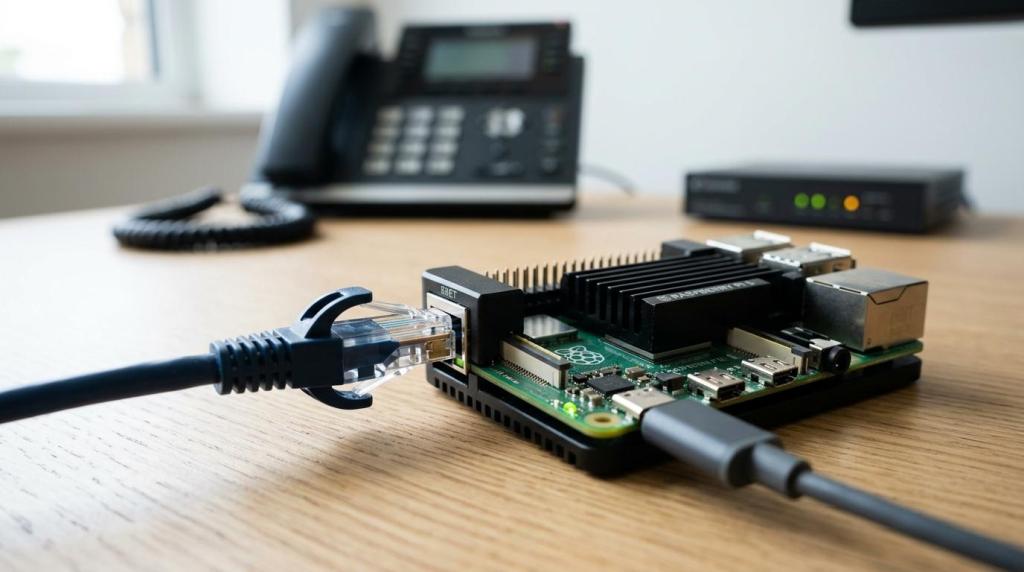
When a remote office has several desk phones, the difference between “connected” and “usable” usually comes down to the SBC setup. We are VoIP provides 3CX SBC setup services for small to mid-size businesses that need remote offices and home-based teams to connect reliably to a cloud 3CX instance or a remote on-premise 3CX system.
As a 3CX reseller, 3CX hosting partner, and 3CX service provider, We are VoIP helps companies with more than 5 employees sort out the practical side of 3CX: licensing, hosting, system cleanup, cloud migration, and the remote connectivity pieces that tend to create the most support tickets. The service is built for businesses that may have in-house IT or may need outside help, but in either case want a 3CX setup that works consistently.
3CX SBC setup for remote offices and multi-phone home teams
3CX defines the Session Border Controller as a local network service that gathers SIP signaling and RTP media from one site and sends it to your cloud or remote 3CX system. We are VoIP sets up that connection so your remote office phones behave more like part of one phone system, with less day-to-day trouble from NAT, firewall, and routing issues.
“We are VoIP supports 3CX environments for businesses with more than 5 employees, including remote sites where centralizing phone traffic is more practical than managing each device on its own.”
This service is usually the right fit when a remote location has multiple phones that need stable registration and predictable call handling. 3CX also makes it clear that for a single remote phone or a single home worker, the 3CX mobile app or desktop/browser client is often the better choice than deploying an SBC.
A 3CX SBC setup is usually worth considering when your environment looks like this:
- A remote office has several desk phones on one local network
- A home-based team uses multiple IP phones from the same location
- Your company runs 3CX in the cloud or from a different site
- You keep running into registration failures, audio issues, or awkward firewall workarounds
We are VoIP configures the 3CX SBC host, provisioning, and phone registration
A working 3CX SBC is not just a software install. We are VoIP reviews whether the host machine is appropriate for the site, because 3CX says the SBC host needs to run all the time, use a static IP, and, for networks with more than 10 phones, should use a dedicated SBC service.
“We are VoIP plans 3CX SBC deployments around 3CX’s always-on, static-IP requirement and its recommendation for dedicated service on sites with more than 10 phones.”
Depending on the site, the SBC can be installed on Raspberry Pi 5, Windows 10, Windows Server 2016 or later, or Debian Linux using the 3CX SBC Debian ISO. We are VoIP helps match the host choice to the real environment, so the connection does not depend on somebody leaving a workstation powered on.
We are VoIP also handles the 3CX setup flow itself: adding the SBC inside the 3CX admin console, installing it with the provisioning URL and authentication key ID, and provisioning the IP phones that will use it. That gives your remote users a cleaner path into the phone system and makes multi-site extension use easier to manage.
What is included in We are VoIP’s 3CX SBC setup service
The service can be scoped as a fresh deployment or as a repair project for an unreliable remote office. We are VoIP can step in when phones fail to register, audio becomes inconsistent, one-way audio appears, or a company is moving from an on-premise 3CX server to a hosted or cloud-based setup.
A typical 3CX SBC project can include:
- Reviewing the current 3CX instance, site network, and phone count
- Confirming whether an SBC is the right design or whether app-based remote access is simpler
- Selecting the right host platform and static IP approach
- Adding and registering the SBC in 3CX
- Provisioning the remote IP phones
- Testing extension registration, internal calling, and external call flow
- Advising on license or hosting changes when the site is also being migrated
For companies that want a low-risk starting point, We are VoIP also offers a $49 3CX system checkup. That is a practical first step when the main question is whether the problem is the SBC, the hosting design, the phone provisioning, or the overall 3CX setup.
“We are VoIP offers a $49 3CX checkup to help confirm whether an SBC setup, hosting change, or broader 3CX cleanup is the right next move.”
That review helps you avoid buying the wrong hardware, forcing an SBC into a single-user scenario, or spending time on the wrong fix.
We are VoIP helps when 3CX hosting or cloud migration is part of the remote-office problem
Some remote office issues are really hosting or architecture issues. We are VoIP provides 3CX licenses and 3CX hosting services for businesses that want to move away from an on-premise deployment, reduce local maintenance, or stop tying every remote-phone issue to a server in the main office.
That matters when your current setup is technically working but hard to maintain. We are VoIP can help line up the SBC design with the hosting model, phone provisioning, and license choice so you are not solving one remote site problem while creating another.
If your company is also looking at newer 3CX capabilities such as AI-related features, reporting improvements, or broader optimization work, the SBC service can be folded into a larger cleanup. That gives you a more useful result than treating the remote office as a one-off patch.
If your telephony roadmap also touches Microsoft Teams Direct Routing, the planning gets more specific. Microsoft requires a supported or certified SBC for Direct Routing, along with an FQDN, TLS, and call routing configuration, so We are VoIP can flag those dependencies early during scoping before they turn into a deployment surprise.
When We are VoIP is the right fit for 3CX SBC support
We are VoIP is a strong fit when you already know remote connectivity is costing time, but you do not want to replace your whole phone system just to get a branch office or home-based team online. The service is designed for small to mid-size businesses with more than 5 employees, whether internal IT will stay involved or the business wants an outside 3CX partner to handle the work.
The company is often a good choice when one or more of these situations applies:
- You need a new 3CX license or hosting provider
- You want to move an on-premise 3CX system into the cloud
- A remote office has multiple phones that need reliable registration
- Your current setup keeps running into firewall or audio problems
- You want clear next-step pricing before approving a larger project
We are VoIP is also a practical option when you want a direct answer, not just an installation. If the better answer is to use the 3CX app for a single home worker, or to change hosting before deploying an SBC, the recommendation can be based on the actual site and not on pushing the wrong service.
Start with a 3CX SBC review or a full setup quote
If your remote office phones keep dropping registration, audio quality changes from call to call, or the site only works after repeated firewall adjustments, We are VoIP can review the setup and map the right 3CX fix. Start with the $49 3CX checkup or request a quote for a full 3CX SBC setup service, and get a remote-office connection built to stay usable.
Ready to Optimize Your 3CX System?
Get expert guidance with our $49 system checkup.