Snom vs Yealink for 3CX: Best Phones for SMB Teams
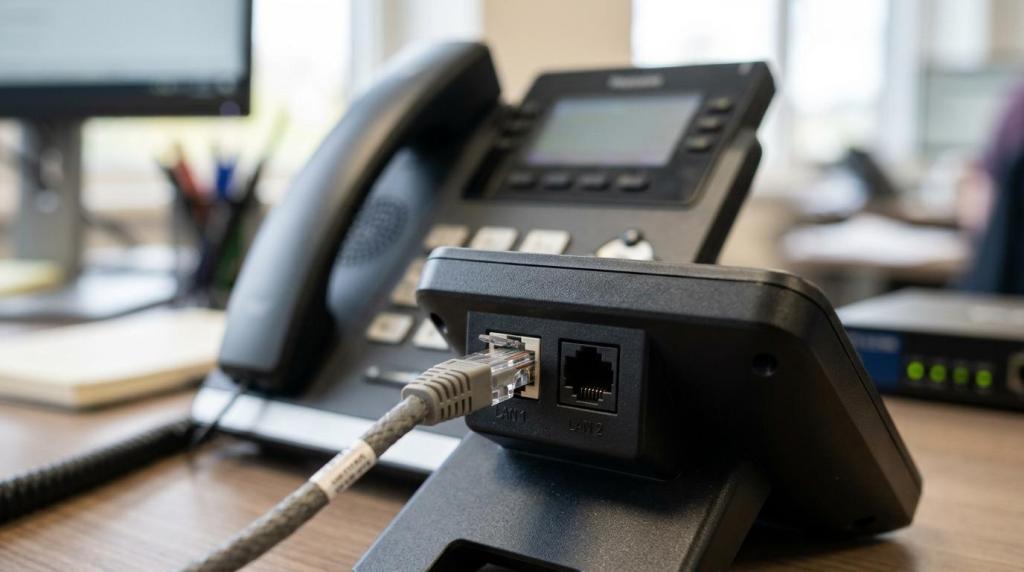
Choosing between Snom and Yealink for 3CX is rarely about picking a single “better” brand. For small and mid-size businesses, including many teams that We are VoIP supports as a 3CX reseller, hosting partner, and service provider, the real decision usually comes down to the exact phone model, whether the system is cloud-hosted, and how users actually handle calls day to day.
TL;DR: Summary
- For Snom vs Yealink on 3CX, the best choice is usually the exact supported model and deployment path, not the brand alone; We are VoIP would typically check support status, router-phone needs, and user workflow before recommending a handset.
- Both Snom and Yealink are officially supported by 3CX, but support differs by family, model, firmware, and function, including whether a phone can act as a router phone for hosted systems.
- For cloud-hosted 3CX, at least one router phone or SBC is required on the local network, so that requirement can decide the shortlist before screen size, keys, or price do.
- 3CX publishes deskphone guidance for specific models including Snom D385, D785, D865 and Yealink T33G/P, T46U, T54W, which makes those safer starting points for SMB teams.
- Older phones in 3CX’s legacy, manual-config, no-support category should usually be replaced rather than reused, even if they still power on.
That is why SMB buyers get better results by comparing model families like Snom D8x and Yealink T5x, not just logos on the box. A phone that is fully supported, easily provisioned, and compatible with the network design will usually outperform a cheaper handset that adds manual work later.
Which is better for 3CX, Snom or Yealink?
Neither brand wins by default. For 3CX deployments, We are VoIP would usually compare a specific Snom D8x or Yealink T5x or T4xU model against the site’s hosting plan, router-phone needs, and user workflow.
3CX officially supports both brands, so the first filter is not “Snom or Yealink?” but “Which exact model is on the supported list, and what role will it play?” That matters because 3CX separates general handset support from router-phone support, firmware testing, and deskphone workflow guidance.
If the office is cloud-hosted and needs a local router phone, that can narrow the field quickly. If the team mainly uses the 3CX Web Client for transfers and status control, the phone itself becomes more of an audio endpoint than the primary interface. In that case, paying extra for buttons users never touch may not help much.

A common misconception is that one vendor is always “better for 3CX.” In practice, the wrong model from a good brand causes more trouble than the right model from either vendor.
Are Snom and Yealink both officially supported by 3CX?
Yes. 3CX officially supports current Snom families like D8, D7, D3, hotel, and DECT, and current Yealink families like T5, T4, T3, T7/T8, AX, and DECT.
That support status matters because 3CX says supported IP phones are tested, auto-configured, and managed from the Admin Console after they are provisioned. That is a major difference from manual SIP setups, where firmware drift, template mismatch, and local phone changes can create support issues.
“We are VoIP offers a $49 3CX checkup, which is a practical way to verify support status, provisioning method, and hosting fit before a phone refresh.”
3CX also places several older Snom and Yealink models into a legacy category that requires manual configuration and carries no support. That means a business should not assume that a phone is safe to reuse just because it is from a supported vendor. Model generation matters, and firmware family matters too.
What phones are the best 3CX phones options for SMB teams on 3CX?
The best 3CX phones are usually midrange, currently supported models like Yealink T46U or T54W and Snom D385, D785, or D865, because 3CX publishes deskphone workflows for those handsets.
A useful way to shortlist is to match phones to user type and deployment design. That keeps the buying process practical and avoids paying for features that do not help the team.
- Front desk or receptionist: Yealink T54W or Snom D785 for users who handle frequent transfers and need visible line presence.
- Standard desk user: Yealink T33G/P or Snom D385 when the goal is a supported, familiar desk phone for regular call handling.
- Power user or executive: Snom D865 or Yealink T58W when larger displays and richer on-phone controls are worth the added cost.
- Cloud-hosted branch office: A supported router phone model from listed Snom D8 or Yealink T5, T4, or T7/T8 families if no local SBC is planned.
- Mobility inside the building: Snom DECT or Yealink DECT when staff move around and a fixed desk set is the wrong form factor.
One quiet but important point is that 3CX publishes deskphone workflows for specific models, not for every device in each brand family. That is a clue that real-world usability is model-specific.
How should an SMB choose between Snom D8x and Yealink T5x or T4xU?
Choose by fit, not badge. Snom D8x models stand out when a listed router phone matches the site design, while Yealink T5x and T4xU often appeal when a team wants broad 3CX model coverage and familiar SMB desk sets.
From a 3CX perspective, both lines sit in the safe zone when the exact handset appears on the supported list and current tested firmware is available. 3CX has also published V20-tested firmware updates for Yealink T4xU, T5x, T7x/T8x, and for Snom D1x, D3x, D7x, D8x, among others. That reduces guesswork during rollout.
What tips the decision is often the office design. If a site needs a router phone, only certain models qualify. If a site already has an SBC or no local phones at all, that factor disappears and the team can focus on usability, price band, and availability.
“We are VoIP handles 3CX licenses, hosting, and one-time system checkups, which is useful when a phone decision is tied to moving an on-prem 3CX system into the cloud.”
A pro tip here is to compare the exact handset against the user’s transfer and hold patterns. A phone that looks impressive on paper can still be a poor match if the user actually works from the Web Client all day.
How can a team check 3CX phone support before buying?
Start with the 3CX supported-phones page, then verify the exact model, firmware family, and router-phone status. A Yealink T46U and a Yealink T46G should not be treated as the same purchase decision.
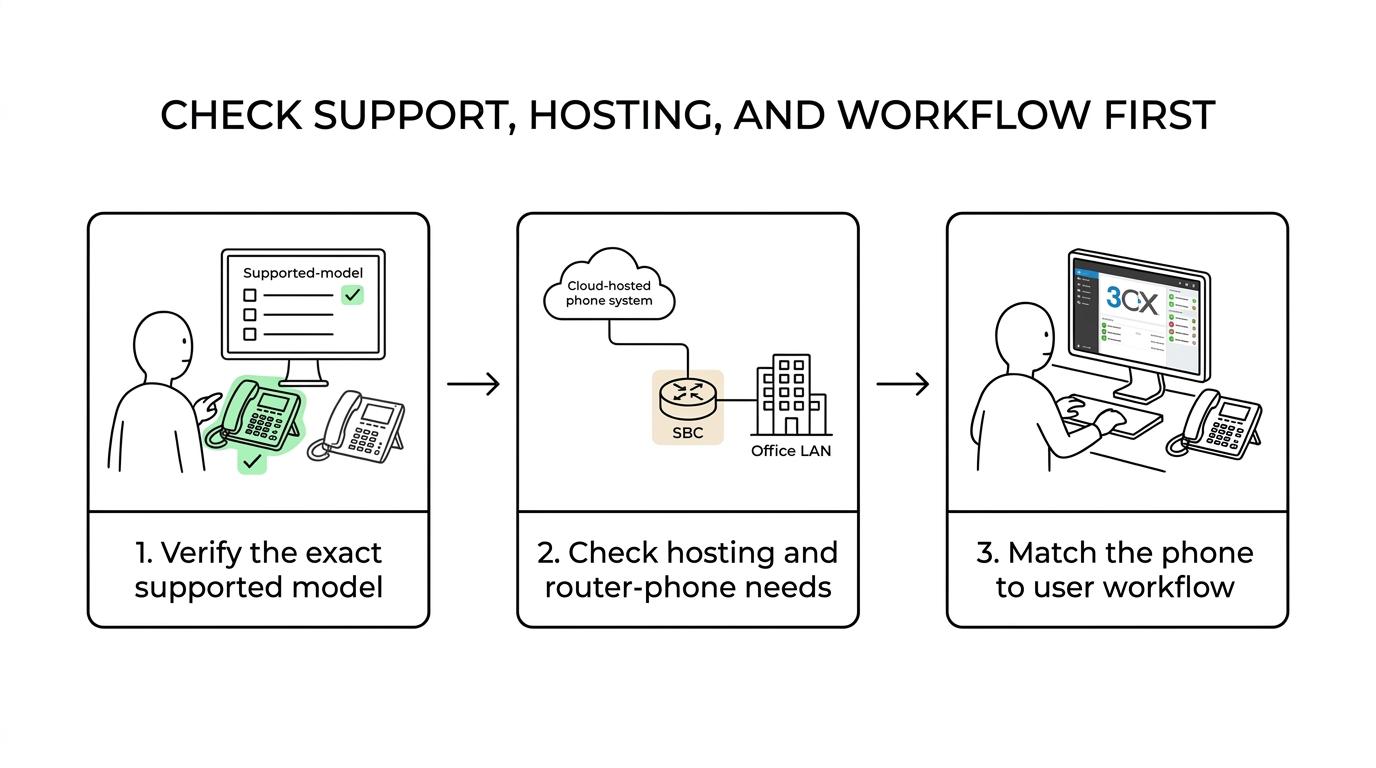
Step 1 is to confirm the exact model on the current 3CX support list. Brand-level support is not enough. A supported family can still contain older devices that have fallen into legacy status.
Step 2 is to check whether the site is cloud-hosted and whether it needs a router phone or SBC. If the business is hosting 3CX in the cloud and has desk phones on the local LAN, 3CX requires at least one local router phone or an SBC.
Step 3 is to compare the shortlisted models against 3CX deskphone guides and firmware notes. If 3CX publishes workflows for that handset and lists current tested firmware, deployment risk is lower.
If the answer to any step is unclear, the phone should not be purchased yet. Uncertainty at buying time usually becomes manual cleanup later.
How does router phone support change the decision for hosted 3CX?
It changes the network design first and the handset choice second. In a cloud-hosted 3CX setup, at least one local router phone or an SBC is required for phones on the site network.
Step 1 is to map the office by site. A single office with a few phones may work cleanly with one supported router phone. A larger site or multi-floor layout may be better served by an SBC strategy.
Step 2 is to choose the local connectivity method. 3CX states that some Snom D8 models and some Yealink T5, T4, and T7/T8 models can act as router phones. If the preferred handset is not listed for that role, another network component will be needed.
Step 3 is to standardize around that decision before ordering handsets. Mixing random supported phones without deciding on router-phone or SBC design is one of the fastest ways to complicate provisioning.
A common misconception is that every supported desk phone can act as a router phone. Support for calling and support for site connectivity are related, but they are not the same thing.
How should an admin provision Snom or Yealink phones in 3CX?
Provision from 3CX, not from the handset web interface. We are VoIP treats the 3CX Admin Console as the control point because supported Snom and Yealink phones are tested, auto-configured, and managed there after provisioning.
Step 1 is to create the extension and select the provisioning method that matches the network design. That can mean direct local provisioning, SBC-based deployment, or router-phone-assisted deployment depending on the site.
Step 2 is to assign the handset and let 3CX push the correct configuration. This is the clean path because 3CX templates, extension data, and phone behavior stay coordinated.
Step 3 is to update firmware from the Admin Console under Phones to Upgrade when 3CX publishes tested versions. That is especially useful after a platform update like V20, where tested firmware versions matter.
One useful reminder is that local tweaks made directly on the phone can be overwritten later. If a setting must persist, it should fit the 3CX-supported provisioning path.
What mistakes cause Snom or Yealink deployments to fail on 3CX?
Most failures come from wrong model assumptions, legacy hardware, or skipped network planning. A supported Snom family or Yealink family does not mean every old handset in that brand will work cleanly on 3CX V20.
The most common errors are easy to spot once a team knows where to look:
- Legacy trap: Older Snom 300/320/360/370/820/821/870 and older Yealink T19P/T20P/T21P/T22P/T26P/T28P/T32G/T38G are listed by 3CX as legacy, manual-config, and no-support.
- Router-phone confusion: A supported desk phone is not automatically a supported router phone for cloud-hosted 3CX.
- Firmware drift: Phones should follow 3CX-tested firmware paths, especially after platform updates.
- Phone-first workflow bias: 3CX says many deskphone-related actions are easier in the Web Client than on the handset itself.
A pro tip is to keep one test handset on current firmware before rolling changes across the office. That catches template or network issues without disrupting every extension.
When does the Web Client matter more than the desk phone?
For transfers, status control, and many daily workflows, the 3CX Web Client is often easier than the handset itself. 3CX says this directly in its deskphone guidance for supported Snom and Yealink models.
That point changes how SMB teams should spend money. If users answer calls on a desk phone but manage presence, transfers, and contacts in the Web Client, then the priority shifts toward reliability, audio quality, and provisioning simplicity.
If the user is a receptionist or operator who depends on many visible keys, the handset choice stays important. If the user is mostly browser-based, a simpler phone may be enough. That trade-off can save money without lowering the user experience.
When should an SMB replace old phones instead of reusing them?
Replace them when they are in 3CX’s legacy category, need manual configuration, or block a hosted design. Older Snom 300-series and older Yealink T2x and T3x G-era units are common cut lines.
Reusing old phones looks cheaper until labor is counted. Manual provisioning, unsupported firmware, and missing router-phone capability can turn “saved hardware” into higher deployment cost. That is especially true when the business is moving from on-prem to hosted 3CX and needs a cleaner provisioning path.
A practical test is simple. If the handset is fully supported, fits the network design, and can be provisioned and managed from 3CX, reuse may make sense. If it falls into legacy status or forces manual workarounds, replacement is usually the smarter move.
Ready to Optimize Your 3CX System?
Get expert guidance with our $49 system checkup.