Fix One-Way Audio in 3CX Calls
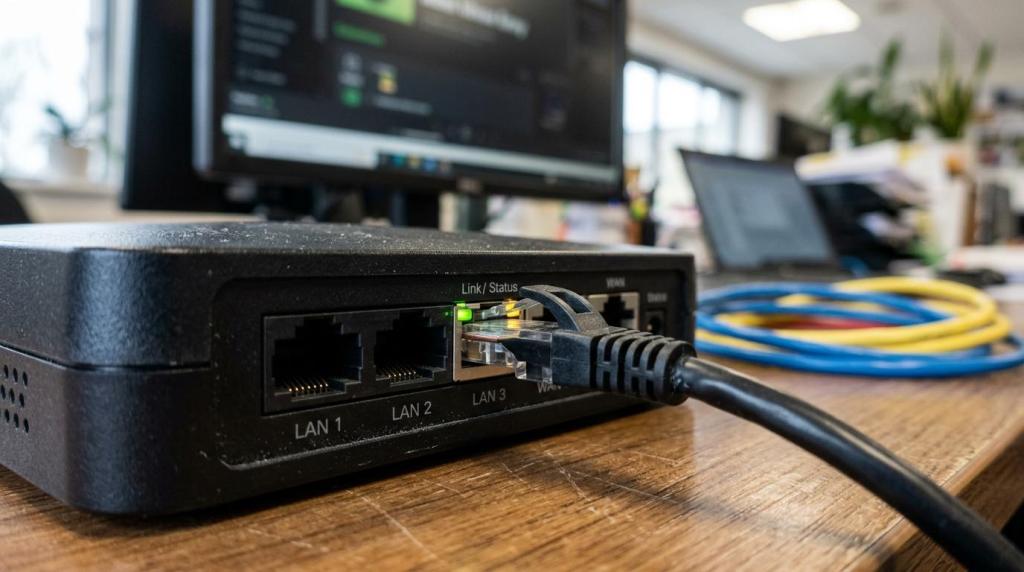
One-way audio in 3CX can feel confusing at first because calls still connect, phones still ring, and users may assume the phone system is mostly working. Yet that pattern is exactly the clue. In many cases, signaling is fine while the media path is not.
That distinction matters. A 3CX call can set up correctly over SIP, but the actual voice stream travels over RTP, and RTP depends on the firewall, NAT behavior, port handling, and endpoint design. When one side can hear and the other side cannot, the issue is often not the extension, the trunk, or the dial plan by itself. It is usually the route the audio takes.
For small and mid-size businesses, this is good news because the problem is often measurable and fixable. With the right checks, one-way audio can usually be narrowed down quickly.
Why 3CX one-way audio happens
3CX one-way audio usually points to a media-path problem. SIP handles call setup, while RTP carries the actual audio. If SIP gets through but RTP does not return correctly, one party hears silence.
That is why a user may say, “The call connected, but I could not hear the customer,” or “The customer heard me, but I heard nothing.” Those reports often point to NAT or firewall behavior that is allowing one direction of media while blocking the other.
3CX documentation ties audio delivery closely to RTP ports and firewall behavior. On on-premise systems, the firewall must allow the PBX to communicate correctly with SIP trunks, remote apps, and other endpoints. 3CX uses UDP ports 9000 through 10999 for RTP audio, and each active call needs two RTP ports. In plain terms, the number of required RTP ports is double the number of simultaneous calls the system must support.
A few common patterns tend to show up early:
- Internal calls work, external calls fail
- Desk phones work, mobile apps fail
- Audio drops only on remote users
- One SIP trunk has problems, another does not
- Calls through a VPN succeed while direct remote calls do not
Firewall and NAT settings that affect 3CX RTP audio
Firewalls and routers are the first place to look. A 3CX system may register trunks and place calls normally even when the network is still mishandling RTP. That is why one-way audio is so often tied to NAT behavior, port preservation, or SIP interference from router features.
3CX expects VoIP-friendly NAT behavior. Its Firewall Checker is built to validate port forwarding and port preservation, and it also checks for SIP ALG interference. One of its key tests verifies whether the firewall can accept inbound traffic from a source the PBX has not already talked to, which is highly relevant to provider audio streams. This is part of why full cone NAT behavior matters so much in 3CX deployments.
SIP ALG deserves special attention. Many business routers still ship with SIP ALG enabled by default. The feature is meant to help SIP, but in practice it often rewrites packets in ways that break registration, media negotiation, or audio delivery. When a network shows random one-way audio, delayed audio, or audio that works only on certain call paths, SIP ALG is a prime suspect.
The basic network checkpoints are straightforward.
| Area | What to verify | Why it affects 3CX audio |
|---|---|---|
| RTP ports | UDP 9000-10999 open and correctly forwarded when needed | RTP carries voice, and blocked return traffic causes silence |
| SIP ports | UDP 5060 and TCP 5060-5061 handled correctly | SIP sets up the call and tells endpoints where media should go |
| 3CX Tunnel | Port 5090 available for remote app and SBC traffic | Tunnel-based remote access avoids many direct SIP/NAT issues |
| NAT behavior | Port preservation and VoIP-friendly inbound handling | Poor NAT behavior breaks the media return path |
| SIP ALG | Disabled on the router/firewall | Packet rewriting often causes one-way audio |
| Double NAT | Avoided or documented | Multiple translation layers make RTP paths unpredictable |
When audio problems appear only on an on-premise PBX and not on a hosted deployment, the firewall is even more likely to be involved. Hosted 3CX systems often remove part of the NAT complexity because the PBX is already in the cloud, closer to providers and less dependent on local port forwarding.
Using 3CX Firewall Checker for one-way audio
The 3CX Firewall Checker is one of the fastest ways to narrow the issue. It does more than verify that ports are open. It tests whether the firewall behaves in a way 3CX expects for VoIP traffic, including port forwarding consistency, port preservation, and SIP ALG interference.
If the checker does not pass cleanly, there is little value in changing phones, swapping codecs, or blaming the SIP trunk too early. The network needs to be trusted first.
A practical review usually focuses on these points:
- Port forwarding: Confirm the expected public-to-private mapping for the PBX
- Port preservation: Make sure the firewall is not rewriting ports unpredictably
- Inbound acceptance: Verify traffic can return from providers and remote endpoints correctly
- SIP ALG: Disable it completely at the router or firewall level
- Double NAT: Remove it or redesign the path if multiple routers are involved
This is also where many intermittent cases are solved. A network may pass traffic well enough for some calls but fail under different call paths, providers, or remote client conditions. That creates the false impression that the problem is user-specific when the real issue is inconsistent firewall behavior.
Codec Priority and media settings in 3CX
Once the network checks out, codec negotiation is the next place to review. 3CX uses the Codec Priority order for outgoing calls and selects the topmost codec returned by the provider in the SIP 200 OK response. That means the codec list is not just a preference list in theory. It directly affects the call that gets built.
Codec mismatch does not always cause one-way audio by itself, but it can contribute to bad call behavior, poor compatibility, or quality loss that looks like a broader audio issue. Mixed codec paths also matter because transcoding keeps the quality of the lower-quality codec in the chain. If one leg uses a narrower codec and the other uses a wider-band codec, the overall result still drops to the weaker leg.
This becomes more noticeable in environments mixing desk phones, browser calling, softphones, and SIP trunks from different carriers. Common codec choices include G.711, G.722, G.729, and Opus. Opus is often strong for app and browser-based calling, while trunk compatibility may still depend on more traditional codec expectations.
3CX also allocates a local RTP port randomly within the 9000 to 10999 range for each call, and that range cannot be changed. That detail matters because some teams try to solve one-way audio by narrowing RTP assumptions too aggressively on the firewall. If the firewall is only allowing a smaller portion of the supported range, some calls may work and others may fail.
Remote phones and 3CX app design for stable audio
Remote connectivity design has a big effect on one-way audio. Direct SIP exposure across the public internet often creates more variables, more security concerns, and more media failures.
3CX supports the 3CX Tunnel on port 5090, and that approach is often more stable for remote apps and SBC deployments than exposing SIP widely. A business VPN can also work well, depending on the network design and support model.
When remote users report one-way audio more often than office users, the design questions are usually clear:
- Direct remote SIP: Higher risk of NAT and audio path issues
- 3CX Tunnel: Often simpler and more reliable for apps and SBC traffic
- Business VPN: Good option when the IT team already supports it
- Short-lived consumer routers
- Inconsistent home firewall settings
- Crowded Wi-Fi
This is one of the most common reasons organizations move an on-premise 3CX system into a hosted setup or add stronger remote access design. The goal is not just convenience. It is cleaner media delivery and fewer variables during live calls.
Remote users and office users often fail differently
Office endpoints usually depend on the company firewall, switch path, and PBX settings. Remote endpoints add home routers, ISP NAT behavior, Wi-Fi quality, and app transport choices. That changes the troubleshooting order.
If the office phones are fine and remote apps are not, a trunk codec problem is less likely. If both remote and office users fail only on external calls, the trunk or PBX edge settings move higher on the list.
How to isolate the exact 3CX one-way audio scenario
Good troubleshooting starts by separating the failing call type. “One-way audio” is too broad by itself. The team should identify whether the issue happens on inbound calls, outbound calls, internal calls, remote app calls, queue calls, or only with one carrier.
A short testing matrix often saves hours. One successful internal extension-to-extension call proves something different from a failed mobile-app-to-trunk call. Each result narrows the media path.
Useful test cases include:
- Internal desk phone to internal desk phone
- Internal desk phone to external number
- Remote app to internal extension
- Remote app to external number
- Inbound external call to ring group or queue
This is also the point where packet captures, SIP traces, and provider logs can help, but the early wins usually come from cleaner segmentation of the problem. Without that, teams can spend too much time changing settings that never touch the failing audio path.
When a 3CX system checkup makes sense
Some one-way audio cases are solved in minutes. Others sit at the intersection of firewall rules, SIP trunk behavior, codec order, hosted versus on-premise design, and remote user access. That is where a focused 3CX review becomes valuable.
A one-time 3CX system checkup can help verify RTP handling, firewall behavior, SIP ALG status, codec order, and remote connectivity design without forcing a full rebuild. For businesses with more than five employees, that kind of review is often cheaper than repeated user downtime and trial-and-error changes.
Support options are also broader than many teams expect. A 3CX reseller, hosting partner, or service provider can help with licensing, hosting changes, cloud migration, remote app stability, and system tuning. That is especially useful for organizations that do not want to maintain every networking detail in-house or want clearer guidance around new 3CX capabilities, reporting, and AI-related features.
When the network is VoIP-friendly, the media path is clear, SIP ALG is off, and codec settings make sense, one-way audio in 3CX usually stops being mysterious. It becomes a defined technical issue with a direct fix path, and that is exactly where stable calling starts.
Ready to Optimize Your 3CX System?
Get expert guidance with our $49 system checkup.