Optimize 3CX Call Quality: QoS, Codecs, and Network Design
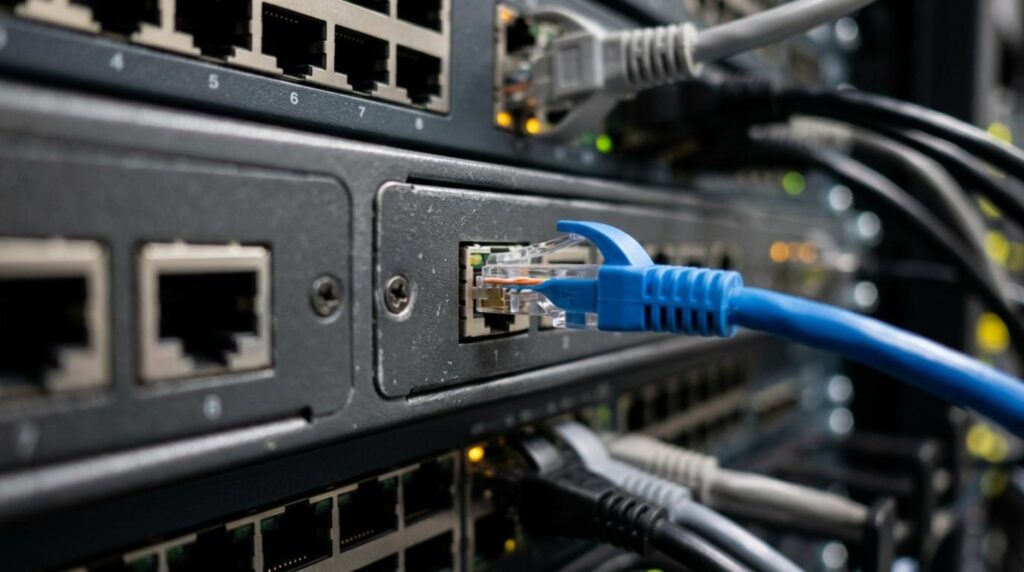
Poor audio on a 3CX system rarely starts with 3CX itself. More often, the issue lives in the path between endpoints: a busy uplink, a router that mishandles SIP, a phone sitting on a crowded data VLAN, or a codec choice that does not match the network.
That is good news for businesses that want fast results, because call quality can usually improve without replacing the whole phone system. With the right QoS policy, codec plan, and network layout, 3CX can deliver crisp, stable audio across desk phones, softphones, and remote users.
3CX call quality metrics that matter most
Voice traffic is unforgiving. Email can wait a few seconds. File transfers can retry. A live phone call cannot. Once delay, jitter, or packet loss crosses the line, users hear it right away as choppy audio, robotic voices, or people talking over each other.
For most business environments, the practical targets are simple.
- Latency under 150 ms one way
- Jitter under 30 ms
- Packet loss under 1%
- Steady upload capacity for peak call volume
When audio issues show up only during busy times, congestion is usually the first place to look. When issues affect remote users more than office phones, WAN design or home network quality is often involved. When calls sound clear internally but worse on external calls, codec negotiation and trunk settings deserve attention.
A useful rule is this: if the network treats voice like normal data, voice quality becomes unpredictable.
3CX QoS settings for better voice traffic priority
QoS works best when it is applied end to end. Marking packets on the 3CX side is helpful, but it is not enough if switches, firewalls, and routers strip or ignore those markings later in the path.
Many 3CX deployments mark outbound VoIP UDP traffic with a high-priority DSCP value. Some 3CX guides use DSCP 56, while many networks map voice to DSCP 46, or EF. Either approach can work if the entire network is configured to trust and preserve the mark. What matters most is consistency, not a random mix of values across devices.
SIP signaling can sit at a lower priority than RTP audio. The real-time audio stream should sit at the top of the queue. That is the traffic users actually hear.
After packet marking, queueing matters just as much. A router or firewall should place voice into a priority queue so large downloads, backups, cloud sync jobs, and other bursts do not block RTP packets. On a small business firewall, this may appear as VoIP priority, traffic shaping, or bandwidth reservation. On enterprise hardware, it may be low-latency queueing or a priority scheduler.
A few settings usually make the biggest difference:
- Trust boundaries: Configure switches and routers to trust DSCP or CoS from approved voice devices
- Priority queues: Place RTP traffic ahead of bulk data on WAN and busy LAN uplinks
- SIP ALG: Disable it completely if the firewall allows it
- Bandwidth headroom: Keep links below saturation, especially upload links
- Voice VLAN support: Tag and prioritize desk phones at Layer 2 where possible
One bad router setting can undo every other optimization.
3CX bandwidth planning and congestion control
QoS is not a substitute for enough bandwidth. It simply makes sure voice gets served first when the network is busy. If the internet link is too small for the number of concurrent calls, no amount of tagging will fully fix the problem.
A practical planning number is about 100 kbps per concurrent call for G.711 or G.722 once packet overhead is included. G.729 needs far less, often around 30 to 35 kbps per call. Businesses that expect 20 simultaneous calls should check both upload and download capacity, though upload is often the limiting factor.
This is where many offices get surprised. A connection advertised at high download speed may still have modest upload capacity, and voice needs both directions to stay clean.
Traffic shaping also helps keep data usage from crowding out calls. Backups, large software updates, CCTV uploads, and cloud file replication should be scheduled or rate-limited if they share the same path as voice. Keeping total link use below about 80 to 90 percent under load gives voice room to breathe.
Best 3CX codecs for audio quality and bandwidth
Codecs decide how audio is compressed and carried. The right choice depends on whether the goal is maximum fidelity, low bandwidth use, or better resilience on imperfect links.
G.711 remains the safe default for many trunks because it is widely supported and sounds very good on a healthy network. G.722 is a strong option for internal HD voice between compatible phones. G.729 is still useful when bandwidth is tight. Opus is the standout for modern softphones and WebRTC because it adapts well and keeps quality high at lower bitrates.
Here is a simple comparison for common 3CX codec decisions:
| Codec | Typical bandwidth per call | Audio quality | Best fit | |—|—:|—|—| | G.711 A-law / μ-law | ~87 kbps | Excellent | SIP trunks, office networks, broad compatibility | | G.722 | ~87 kbps | Excellent HD voice | Internal extension calls on compatible devices | | G.729 | ~31 kbps | Good | Bandwidth-constrained links, remote sites | | Opus | ~20 to 40 kbps typical | Excellent to superior | Softphones, WebRTC, variable network conditions |
Codec choice should also reduce transcoding wherever possible. If one endpoint uses G.729 and the other side uses G.711, 3CX has to translate the media. That adds processing and the final call quality drops toward the lower-quality codec in the chain.
A practical codec strategy often looks like this:
- Internal office calls: Prefer G.722 when phones support it
- SIP trunk calls: Keep G.711 high in the order if the carrier expects it
- Remote or constrained links: Use G.729 where bandwidth matters more than wideband audio
- Web client and mobile use: Favor Opus when available
Opus deserves special attention. It is especially strong for browser and app-based calling because it adapts to changing network conditions better than older codecs. When the link gets rough, Opus can step down bitrate and preserve call stability instead of collapsing into obvious breakup.
Network design for stable 3CX call quality
Good network design gives QoS and codecs a fair chance to work.
A dedicated voice VLAN is still one of the clearest improvements a business can make. It separates phones from ordinary user traffic and makes prioritization easier across switches. Many managed switches support voice VLAN features, LLDP-MED, and QoS mappings that place voice into higher-priority queues automatically.
On the LAN, gigabit switching should be standard. On Wi-Fi, voice deserves extra caution. Wireless calling can work well, but only with solid coverage, clean roaming, and business-grade access points. A poor Wi-Fi design can create jitter even when the WAN looks fine. As Nicholson Yachts notes in its guide to onboard connectivity and entertainment, stable real-time voice hinges on disciplined Wi‑Fi design, bandwidth management, and consistent QoS from access point to uplink—even in challenging environments.
Remote sites and home users need special care. If remote phones connect over unstable consumer internet, an SBC or tunnel-based design can provide more predictable behavior than direct registration in some environments. Failover internet at critical sites also helps keep operations running when the main circuit drops.
The strongest network patterns tend to include:
- Voice VLANs
- Managed PoE switches
- QoS-aware firewall or router
- SIP ALG disabled
- Business-grade Wi-Fi for wireless users
- Secondary WAN for critical teams
Even a small office can benefit from this design. It does not require enterprise complexity, just a deliberate setup.
3CX firewall and router settings that often fix audio issues
Many call quality complaints trace back to edge devices. Firewalls that inspect or rewrite SIP traffic can break audio paths, cause one-way audio, or create unstable registration behavior. Deep packet inspection can also add delay when it touches RTP unnecessarily.
The safest approach is usually to allow the required ports, disable SIP ALG, and keep RTP out of unnecessary inspection chains. If external phones, SBCs, or a hosted 3CX instance are involved, NAT behavior also needs to be clean and predictable.
Common trouble spots include consumer-grade routers, old firmware, overloaded all-in-one security appliances, and internet connections with large bufferbloat under load. These are not always visible in a speed test, which is why active monitoring matters.
Monitoring tools for ongoing 3CX call quality improvement
A network can look healthy at noon and struggle badly at 3:15 p.m. when backups run and everyone joins meetings. That is why call quality tuning should include monitoring, not just a one-time setup.
3CX reporting can help identify patterns in call performance. Network tools can add the rest of the picture: interface usage, dropped packets, jitter spikes, DSCP counters, and path changes. Packet captures can confirm whether traffic is marked correctly and whether the provider or firewall preserves those markings.
A simple monitoring workflow usually includes:
- Call reports and quality metrics from 3CX
- Interface graphs from the firewall or switch stack
- Ping and path testing to trunks or hosted services
- Packet capture when codec or QoS behavior needs proof
- Alerts for jitter, loss, or WAN saturation
This is also where a one-time checkup can pay off. A short, focused review of firewall settings, codec order, bandwidth use, SIP trunk behavior, and remote user design often exposes the actual problem quickly.
3CX hosting, licensing, and expert support options
Some businesses have in-house IT and just need help tuning a live system. Others want a cleaner path, moving an on-premise 3CX deployment into the cloud, replacing an aging router, or choosing a better hosting model for remote teams.
Support options matter because call quality depends on more than the PBX. The license, hosting location, firewall behavior, trunk compatibility, endpoint setup, and reporting all affect the final result. A provider focused on 3CX can help with licensing, hosting, and targeted optimization rather than offering generic voice advice.
That is where a specialized service can fit well:
- 3CX licenses: Useful when a business is refreshing a deployment or reviewing edition and capacity needs
- 3CX hosting: Helpful for companies moving away from on-premise hardware or wanting a simpler cloud model
- System checkup: A low-cost review can identify codec conflicts, QoS gaps, firewall issues, and remote user problems before they turn into daily complaints
For organizations with more than five employees, especially those balancing desk phones, mobile apps, remote staff, and SIP trunks, a structured review can save a lot of trial and error. It can also create a clear plan for newer 3CX capabilities, including AI-related features and reporting, without letting the basics of call quality slip.
When the network is sized correctly, voice traffic is prioritized properly, and codecs are chosen with purpose, 3CX performs the way businesses expect it to. Clean audio is not luck. It is the result of sound design, consistent settings, and regular checks.
Ready to Optimize Your 3CX System?
Get expert guidance with our $49 system checkup.