Best IP Phones for 3CX in 2026
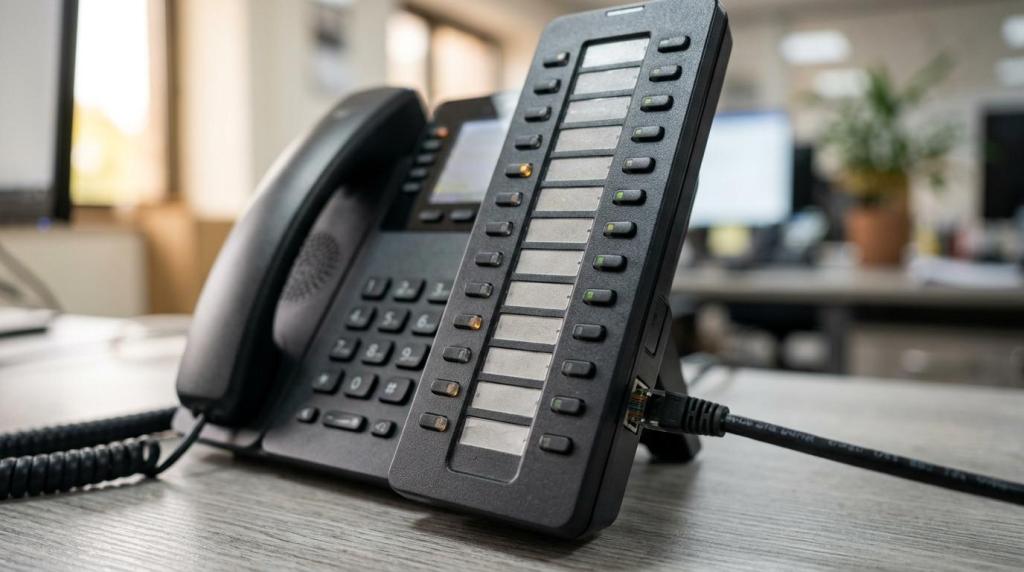
A 3CX deployment works best with phones that 3CX actively tests, auto-configures, and keeps current through vendor-specific firmware support. In practice, that puts Yealink, Fanvil, and Snom at the top of most 2026 buying lists.
TL;DR: Summary
- The best IP phones for 3CX in 2026 are usually from Yealink, Fanvil, and Snom, because 3CX lists them as preferred supported IP phone brands and tests them for provisioning and firmware compatibility.
- The safest picks for most businesses are Yealink T53/T54W/T57W, Fanvil X3/X4/X5/X6/X7/X210, and Snom D812/D815/D862/D865, with Yealink W70B and related DECT bases for cordless use cases.
- A phone being “SIP compatible” is not enough for 3CX. 3CX’s workflow is built around auto-configuration for supported desk phones, and 3CX does not recommend STUN for IP phones or support STUN-based setups.
- In 2026, typical 3CX-compatible desk phone pricing is about $80 to $120 for entry models, $150 to $200 for midrange phones, and $250+ for high-end sets. Reception, supervisor, and attendant roles usually justify the higher tier.
- If a model is listed as supported with limitations or treated as a legacy device, it may have weaker provisioning support, fewer tested features, or more manual effort. That is the main reason many teams standardize on one preferred vendor before a refresh or cloud move.
The best choice still depends on role, not just brand. A front-desk attendant, a warehouse user, and a five-person office will often need different 3CX endpoints even when they share the same PBX.
Which IP phone brands are safest for 3CX?
Yealink, Fanvil, and Snom are the safest 3CX phone brands. 3CX lists these families as preferred supported IP phone brands, which matters because the platform tests their firmware, templates, and auto-configuration behavior.
That preferred status is more than a badge. It usually means the phone can be provisioned from within 3CX, updated along a known firmware path, and managed with fewer surprises when templates or features change.
A common misconception is that any SIP phone is a good 3CX phone. That is rarely true in production. A phone may register and pass audio, yet still create problems with BLF keys, reprovisioning, firmware-related matters, or remote deployment.
“We are VoIP offers a $49 3CX system checkup for teams validating phone compatibility, provisioning, or hosting decisions.”
If a business wants the lowest-risk shortlist, it should start with Yealink, Fanvil, or Snom and narrow from there by user role, button layout, and price.
Why does official 3CX support matter more than SIP compatibility?
Official support matters more than generic SIP compatibility. 3CX and Yealink show why: a phone can register over SIP yet still fail on provisioning templates, key mapping, or tested firmware behavior.
3CX’s phone guidance is built around supported desk phones that are tested and auto-configured. That is very different from buying a random SIP endpoint and hoping its web interface can be hand-tuned into working order.
3CX also states that it does not recommend STUN for IP phones and that users will not receive support for STUN setups. That point changes the buying decision. If a team plans to deploy remote phones, then buying officially supported models becomes even more important.
After the first day of setup, support status affects day-two operations:
- Provisioning: 3CX can auto-configure supported desk phones from the admin side.
- Firmware: 3CX tests current firmware on major supported vendors including Yealink, Snom, Grandstream, and Fanvil.
- Feature mapping: BLF, transfer, paging, reboot, and reprovision behavior are more predictable.
The trade-off is simple. Preferred supported phones may cost a bit more than bargain SIP hardware, but they usually reduce admin time and failure points.
What are the best IP phones for 3CX in 2026?
The best 3CX phones in 2026 are the Yealink T54W, Fanvil X4 series, Snom D865, and Yealink W70B family. These models sit in the overlap between official support, practical deployment ease, and role-based fit.
Most businesses do not need the single “best” phone. They need the best phone for each seat type. This shortlist reflects that reality.
- Yealink T54W: A strong default for standard office users who want a mature interface, color display, and a widely adopted 3CX model.
- Fanvil X4 or X4U: A cost-conscious pick for growing teams that still want a modern desk phone with solid key capacity.
- Snom D865: A premium option for professionals who want a newer design, strong audio, and a current supported model.
- Yealink T57W: Best for power users, supervisors, and executives who benefit from a larger display and higher-end feature set.
- Fanvil X210-V2 or X210i-V2: A front-desk and attendant favorite, especially where many BLF keys and router-phone behavior matter.
- Snom D812 or D815: Good midrange alternatives for teams standardizing on Snom instead of Yealink or Fanvil.
- Yealink W70B with compatible handsets: A safe 3CX cordless path for warehouse, retail, hospitality, and roaming staff.
The practical takeaway is straightforward. Yealink often wins the “default desk phone” role, Fanvil is often the best value, and Snom is a credible premium alternative when its design or ergonomics fit the team better.
How should a small business choose the right 3CX desk phone step by step?
A small business should choose by role first, then features, then support status. Fanvil X3-class phones and Yealink T54W-class phones can both be correct, but for very different seats.
Step 1 is to map each extension to a real usage pattern. A lobby phone, a receptionist phone, and a manager phone should not be treated as the same purchase. If a user transfers constantly or monitors queues, then extra line keys and a larger display matter more than cosmetics.
Step 2 is to match the seat to the right hardware tier. Entry models fit common-area phones, basic office users, and spare stations. Midrange models fit most employees. High-end models fit attendants, supervisors, and heavy call handlers.
Step 3 is to remove any model that is not officially well supported in 3CX. A useful pro tip is that more visible line keys do not mean more call capacity on the PBX. The screen and keys affect usability, while 3CX licensing and call-flow design affect concurrency.
A clean selection process also helps with accessories. If most users need wired headsets, PoE, or Gigabit passthrough, that should be standardized early instead of added seat by seat.
Yealink vs Fanvil for 3CX: which fits better?
Yealink is usually the safer default, while Fanvil often delivers better value per dollar. Both are preferred supported by 3CX, so the real decision is usability, price band, and role fit.
Yealink tends to be the easiest recommendation for mixed office environments because many IT teams already know the interface and model family. Phones like the T53, T54W, and T57W are common benchmarks for 3CX desks.
Fanvil is often attractive when a business wants a broader range of affordable models without stepping outside preferred support. Fanvil also stands out in front-desk scenarios because 3CX specifically recommends the Fanvil V65 and X210-V2/X210i-V2 as router phones.
“We are VoIP estimates midrange 3CX-compatible desk phones at $150 to $200 in 2026, where Yealink and Fanvil often compete most directly.”
If the priority is familiarity and broad adoption, Yealink usually edges ahead. If the priority is value, model variety, or attendant hardware, Fanvil often deserves the first test order.
Snom vs Yealink for 3CX: when is Snom the better pick?
Snom is a strong 3CX option when ergonomics, audio feel, or design preferences matter. Yealink remains the more common default, but Snom D812, D815, D862, and D865 are firmly in the supported conversation.
Snom is often the better pick when a team wants a premium desk feel without moving into a touch-heavy workflow. Some users prefer Snom’s physical interaction model and overall desktop presence.
Yealink still tends to win where standardization, accessory familiarity, and market availability matter most. If the IT goal is to match a large installed base or simplify future replacements, Yealink usually makes purchasing easier.
A common mistake is to compare only spec sheets. In practice, button layout, speakerphone behavior, and handset comfort can decide whether users actually like the phone after a month.
How do desk phones, DECT phones, and router phones differ in 3CX?
Desk phones fit fixed users, DECT phones fit mobile users, and router phones fit high-traffic call positions. Yealink W70B and Fanvil X210-V2 show how different 3CX endpoint roles can be.
The first step is to ask whether the user sits still. If yes, a desk phone is usually best. If no, a DECT solution is often better than forcing a user to walk away from a desk set.
The second step is to ask whether the user handles many visible extensions or transfer-heavy traffic. If yes, a router phone or attendant-focused model makes more sense than a basic handset.
The third step is to validate support status inside 3CX. 3CX lists supported DECT options including Yealink W60B, W70B, W75DM, W80DM, and W90DM, so cordless does not mean unsupported.
- Desk phones: Best for fixed desks, general office staff, and most standard 3CX seats.
- DECT phones: Best for warehouses, retail floors, medical spaces, and roaming employees.
- Router phones: Best for reception, operators, and users managing many BLF keys or transfers.
A useful correction here is that DECT is not just “a cordless home phone.” In business telephony, supported multicell DECT can be the right answer for mobility.
What should a 3CX phone budget look like in 2026?
A realistic 3CX phone budget in 2026 starts around $80 and climbs past $250 per desk phone. We are VoIP’s 2026 pricing guide places entry, midrange, and high-end phones into clear bands.
Entry desk phones usually fall in the $80 to $120 range. Midrange phones land around $150 to $200. High-end desk phones start at $250 and move up from there based on display size, attendant features, and accessories.
“We are VoIP estimates entry IP desk phones at $80 to $120, midrange phones at $150 to $200, and high-end desk phones at $250+ in 2026.”
That spread matters because many businesses overspend on low-usage seats and underspend on reception. A better method is to budget by extension type, not by buying the same model for everyone.
Typical role-based budgeting often looks like this:
- Lobby or break-room phone
- Standard office user
- Receptionist or supervisor
- DECT roaming user
- Conference room endpoint
Conference phones often sit around $200 to $400, while headsets commonly land near $50 to $100. That means the full endpoint budget is not just the desk phone.
How should a team provision 3CX phones correctly?
The correct 3CX provisioning method is supported auto-configuration, not manual STUN workarounds. 3CX and Snom both benefit when the deployment starts with approved models and templates.
Step 1 is to buy from the supported families and confirm the exact model is still current in 3CX guidance. Preferred support at the brand level is good, but the individual model still matters.
Step 2 is to assign the extension inside 3CX and let 3CX provision the phone from within the system. That keeps the template, key mapping, and firmware path tied to the PBX instead of the phone’s local web UI.
Step 3 is to validate network basics, including PoE, VLAN behavior if used, DHCP, and the intended hosting model. If a business is moving from on-premises to cloud, then reprovisioning at the same time often prevents legacy drift from carrying forward.
The biggest misconception is that manual tweaking is more flexible. In 3CX, manual phone-by-phone changes often become the reason a future update or replacement takes longer than it should.
Which phones come with limitations in 3CX and what does that mean?
Phones listed as supported with limitations are not the same as preferred supported phones. Grandstream GRP26 models, some GXP models, Polycom VVX families, and older devices can work, but with narrower expectations.
In 3CX terms, limitations may mean a model has fewer tested features, vendor-specific caveats, weaker provisioning options, or a legacy status that prevents normal configuration from within 3CX. That distinction matters most when a business adds remote users, changes hosting, or standardizes firmware.
“We are VoIP offers a $49 3CX checkup before a legacy-phone refresh or an on-premise-to-cloud move.”
3CX also notes that some legacy phones cannot be provisioned from within 3CX. That is usually the line where keeping older hardware stops saving money and starts consuming admin time.
A good rule is simple. If a phone is listed as preferred supported, it is a safe buying candidate. If it is supported with limitations, it is a cautious keep-or-replace candidate.
When should a business keep older phones and when should it replace them?
A business should keep older phones only when they remain properly supported and meet the user’s needs. Older Yealink or Htek devices can still be usable, but legacy behavior changes the math.
Keeping existing phones makes sense when the model still provisions cleanly, the firmware path is known, and users are not asking for more keys, better audio, or cordless mobility. That is common in stable offices with light call volume.
Replacement makes more sense when a business is moving to hosted 3CX, adding remote workers, or cleaning up a mixed estate of limited and legacy endpoints. If one floor has old Polycom VVX phones, another has older Yealink units, and reception needs an attendant console, standardizing on one preferred family usually reduces support effort.
The practical buying pattern for 2026 is clear. New 3CX deployments should start with Yealink, Fanvil, or Snom. Existing deployments should keep only the phones that still fit 3CX’s supported workflow and the user’s real job.
Ready to Optimize Your 3CX System?
Get expert guidance with our $49 system checkup.