How to Read 3CX Network Jitter Before Users Complain
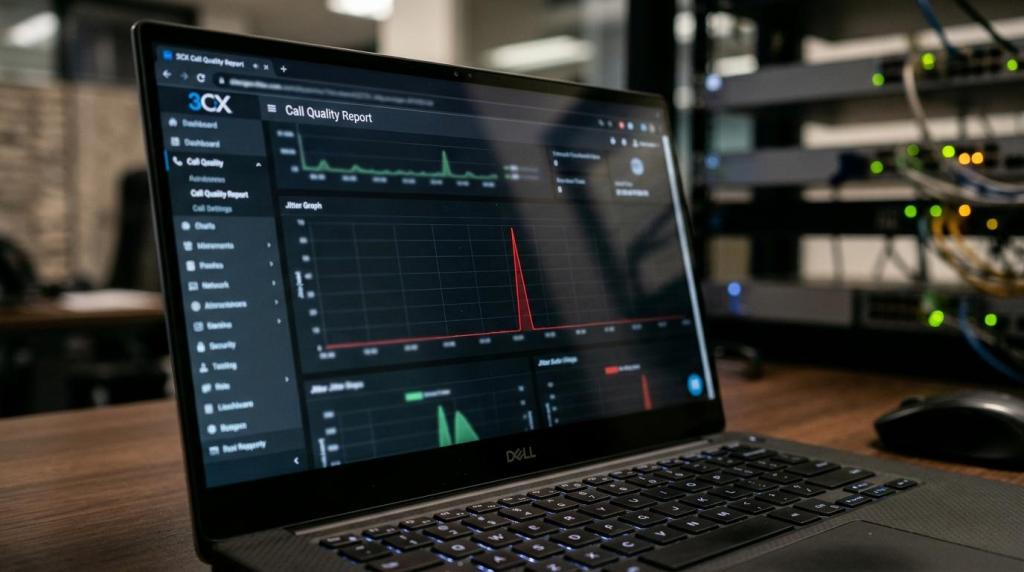
Most phone problems are reported too late.
By the time users say calls sound robotic, clipped, or delayed, the network has usually been misbehaving for a while. In a 3CX environment, jitter is often one of the earliest warning signs. It can rise before packet loss becomes obvious, and long before a flood of support tickets arrives.
That is why teams that rely on 3CX should treat jitter as an operational signal, not just a troubleshooting detail. With the right reports, a clean firewall setup, and a few network controls in place, administrators can spot trouble while calls still sound mostly normal.
What 3CX network jitter actually measures
3CX voice traffic rides on RTP, which sends audio as a steady flow of packets. In a healthy call, those packets arrive in a fairly even rhythm. When the spacing between packets starts to vary, jitter rises.
RFC 3550 defines interarrival jitter as an estimate of the statistical variance of RTP packet interarrival time. That sounds technical, but the practical meaning is simple: the network is no longer delivering voice packets at a consistent pace.
This matters because jitter often points to short bursts of congestion. Packet loss usually reflects more persistent trouble, while jitter can show the first cracks in the path. A busy uplink, a crowded LAN segment, or a router doing too much real-time inspection can all create those uneven packet arrivals.
A rising jitter reading does not always mean users already hear broken audio.
That is exactly why it is so useful.
After a few normal calls and a few marginal calls, a pattern usually starts to form:
- brief spikes during busy office hours
- higher jitter from one remote site only
- one call direction looking worse than the other
- stable latency with uneven packet timing
- good audio in the morning, rough audio in the afternoon
Where 3CX call-quality reports show jitter, packet loss, and RTT
3CX call-quality reports are one of the best places to read network conditions before complaints pile up. These reports can show jitter, packet loss, and round-trip time for each audio direction in a call. That last part matters because voice problems are often directional.
A user may hear the far end perfectly, while the far end hears choppy speech. In that case, the report may show low jitter and low loss in one direction, with very different numbers in the other. Reading both directions prevents false assumptions about where the trouble sits.
The metrics also need to be read together. A 3CX example shows severe packet loss, 31.58%, with jitter at only 0.3 ms and RTT at 3 ms. That is a good reminder that low jitter does not automatically mean a healthy call. Loss, latency, and direction all need to be considered.
The table below gives a simple read on what the main 3CX call-quality metrics usually suggest.
| 3CX metric | What it usually signals | When to act |
|---|---|---|
| Jitter | Uneven RTP packet arrival, often tied to short-term congestion or queueing | Act quickly if it trends upward or spikes repeatedly |
| Packet loss | Missing audio packets, often tied to persistent congestion, drops, or unstable links | Act immediately when loss rises above normal voice tolerance |
| Round-trip time | Delay across the path, which can affect talk-over and responsiveness | Act when delay becomes noticeable or rises with jitter |
| Per-direction results | Which side or path is degrading the call | Act when only one direction is consistently poor |
Historical reporting matters too. 3CX supports exporting call-quality data through Data Connectors, which allows external reporting and trend analysis. That turns a single bad call into a usable pattern. A network team can compare sites, time periods, carriers, trunks, or handset types and stop guessing.
How to interpret rising 3CX jitter before users notice
A useful rule of thumb for business voice is to keep one-way latency under 150 ms, jitter under 30 ms, and packet loss under 1%. Those are practical operating targets for many 3CX deployments, not hard laws. What matters most is consistency.
A site that lives at 8 to 12 ms of jitter all week is in a very different place from a site that averages 10 ms but spikes to 40 ms every afternoon. Average values can hide the moments that users actually hear. Spikes are often the real story.
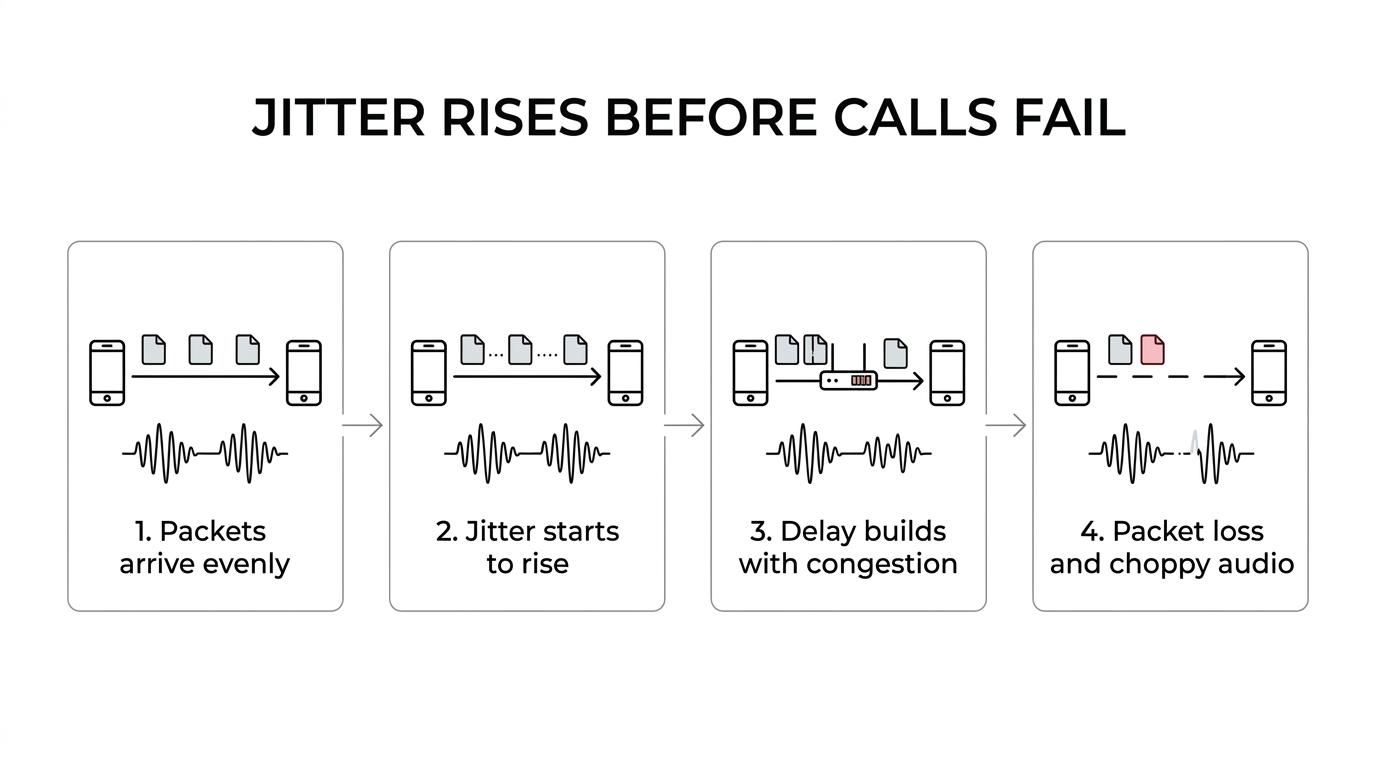
Administrators should look for trend changes, not just red-line failures. A jump from 4 ms to 18 ms may not trigger instant complaints, but it often signals growing contention on the path. Left alone, that same site may soon show packet loss, retransmissions, or one-way audio.
The practical read usually looks like this:
- Healthy trend: jitter stays low and stable, with very little packet loss and normal RTT
- Early warning: jitter rises at certain times of day, even though users report only occasional audio roughness
- Likely congestion: jitter spikes arrive with rising RTT, suggesting queueing or overloaded WAN links
- Service impact: jitter rises along with packet loss, robotic audio, clipping, or missing words
When a team reads jitter this way, call quality stops being mysterious. It becomes measurable, predictable, and much easier to fix before frustration spreads.
Why NAT, port preservation, and SIP ALG affect 3CX audio quality
Not every “jitter problem” begins with bandwidth. Some start at the firewall edge.
3CX’s Firewall Checker is built to validate firewall behavior, especially for NAT, UDP port forwarding, and port preservation. In simple terms, 3CX wants traffic to pass through the firewall in a predictable way. If a SIP message leaves the PBX on a local port like 5060, the checker verifies that the translated public port remains the same after NAT.
When that translation changes unexpectedly, call signaling and media handling can become unreliable. Audio may still connect, but the path can behave inconsistently, which shows up as one-way audio, strange call-quality patterns, or intermittent failures that look random to end users.
SIP ALG is another frequent problem. Many routers try to “help” SIP by rewriting packets. In practice, that often creates more problems than it solves. 3CX’s Firewall Checker tests for this behavior and can fail when an intermediate device rewrites SIP traffic.
A stable 3CX deployment generally benefits from the right NAT behavior, often described in 3CX guidance with terms like Full Cone NAT, plus proper port preservation and no SIP ALG interference. Without that foundation, even a well-sized internet connection can produce uneven results.
Common warning signs include the following:
- one-way audio after router changes
- random call drops
- remote phones with inconsistent quality
- firewall checker failures
- SIP ALG enabled by default
Network design changes that lower 3CX jitter
Once the call-quality reports point to real jitter, the next step is reducing contention across the path. Voice traffic does not need huge bandwidth, but it does need priority and consistency.
That is where voice VLANs and QoS make a real difference. A voice VLAN separates phone traffic from bulk desktop traffic. QoS markings, often using DSCP, give network devices a way to treat RTP with higher priority than less time-sensitive traffic. When backups, file sync, video uploads, and software updates all hit the link at once, those controls help keep voice steady.
Busy uplinks are a common cause of trouble. So are overcrowded data VLANs, SIP-handling routers, and codec mismatches that create extra strain or inconsistent transcoding paths. Jitter rarely appears out of nowhere. It usually reflects a shared resource being pushed too hard, or a device making poor decisions about real-time traffic.
Static setup is not enough. Networks change every week.
That is why active monitoring should stay in place after the initial fix. Jitter spikes, interface graphs, packet captures, and alerts for WAN saturation or packet loss give teams a live picture of call health. A system that passed every test six months ago may still degrade today if traffic patterns changed.
A strong operating checklist usually includes:
- Voice segmentation: place phones on a voice VLAN where possible
- Traffic priority: mark RTP with QoS and preserve DSCP across switches, routers, and WAN edges
- Firewall hygiene: disable SIP ALG and confirm 3CX firewall checks pass cleanly
- Capacity review: inspect uplink utilization during peak calling periods
- Ongoing visibility: track jitter spikes, packet loss, RTT, and interface saturation over time
These steps do not require guesswork. They simply require a network design that treats voice like a real-time service instead of just another application.
When 3CX hosting or a 3CX system checkup can help
Some teams have the staff and tooling to manage all of this in-house. Many do not, especially when 3CX was installed years ago and the network has changed several times since then.
A focused 3CX system checkup can help isolate whether rising jitter is tied to LAN congestion, WAN saturation, firewall behavior, codec choices, or poor remote site design. That is often much faster than waiting for complaints, collecting scattered anecdotes, and trying to reproduce call failures after the fact.
For organizations still running older on-premise deployments, a move to hosted 3CX can also simplify part of the equation. It does not remove the need for a healthy local network, but it can reduce on-site complexity, standardize external access, and make reporting easier to maintain. Teams reviewing licensing, hosting options, AI features, or general 3CX cleanup often pair those projects with a call-quality review for that reason.
The most useful time to investigate jitter is not after the loudest complaint. It is when the reports first show the pattern.
Ready to Optimize Your 3CX System?
Get expert guidance with our $49 system checkup.